Hello, how can we help Today?
Sending Personalized Bulk SMS Campaign
Personalization is your secret weapon for targeted campaigns. SMS Personalization helps you send messages to only interested people – hence, improving campaign conversions.
With NALO SMS, you can send personalized campaigns easily with any variable of your choice.
To send personalized SMS campaigns, you need a file in a data processing format, preferably in CSV or XLS format. You can quickly download a sample file here. Click here to learn how to prepare an Excel personalization file.
How to Send Personalized BULK SMS
- Visit app.nalosolutions.com
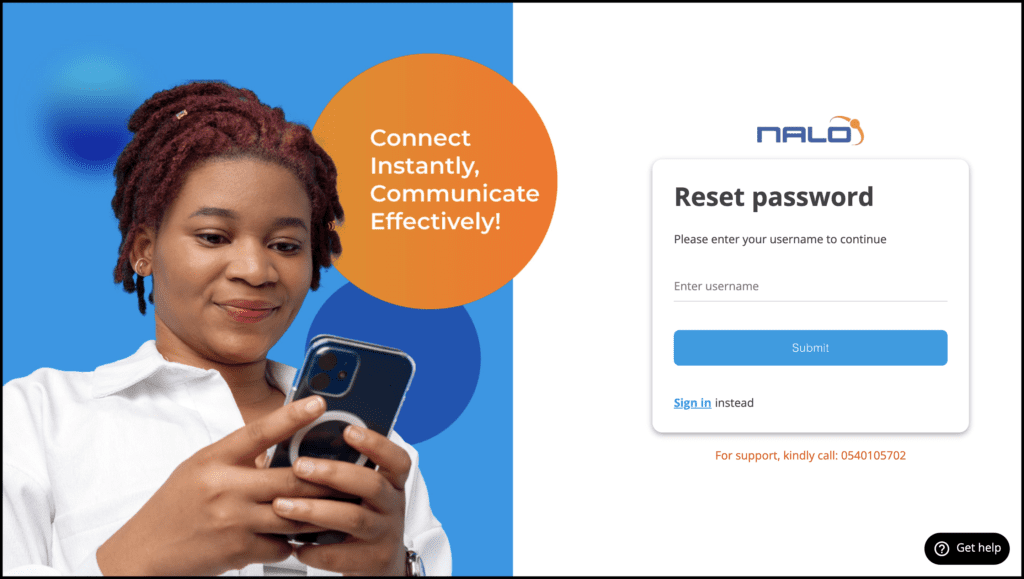
- Login with your Username and Password
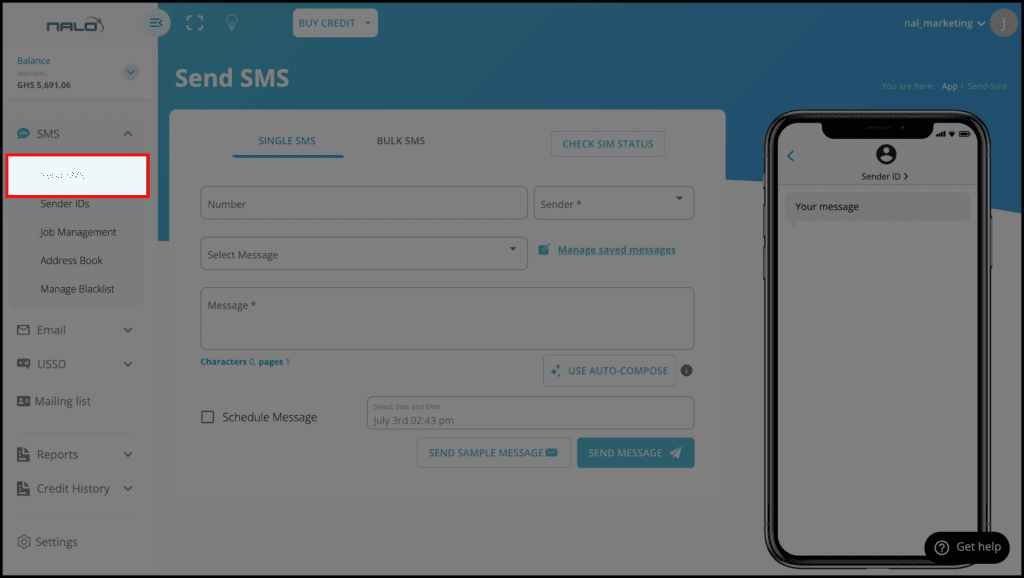
- On the dashboard, click on SMS >> Send SMS
- Download the sample file and edit it to suit your details. Learn how to edit sample files here
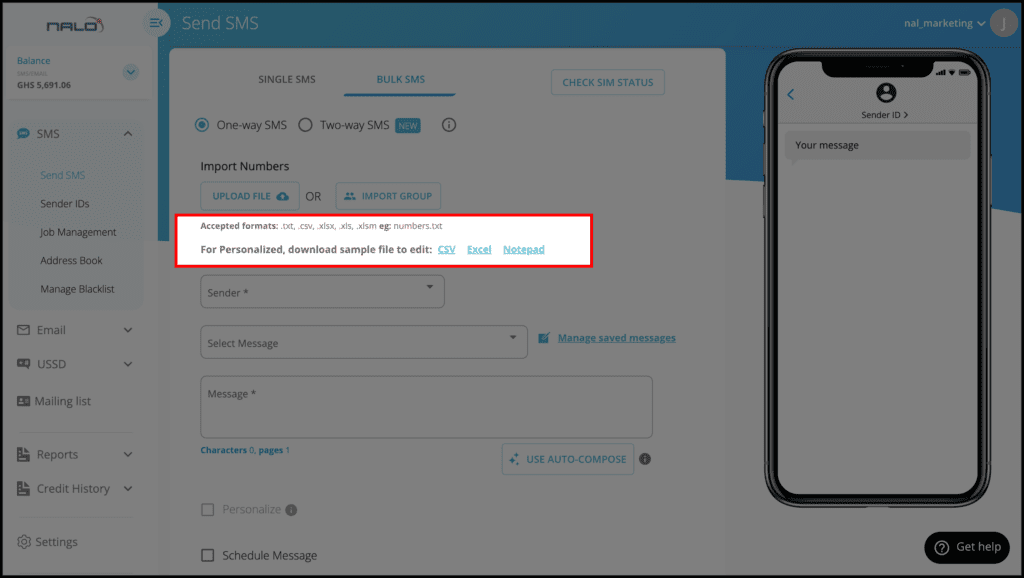
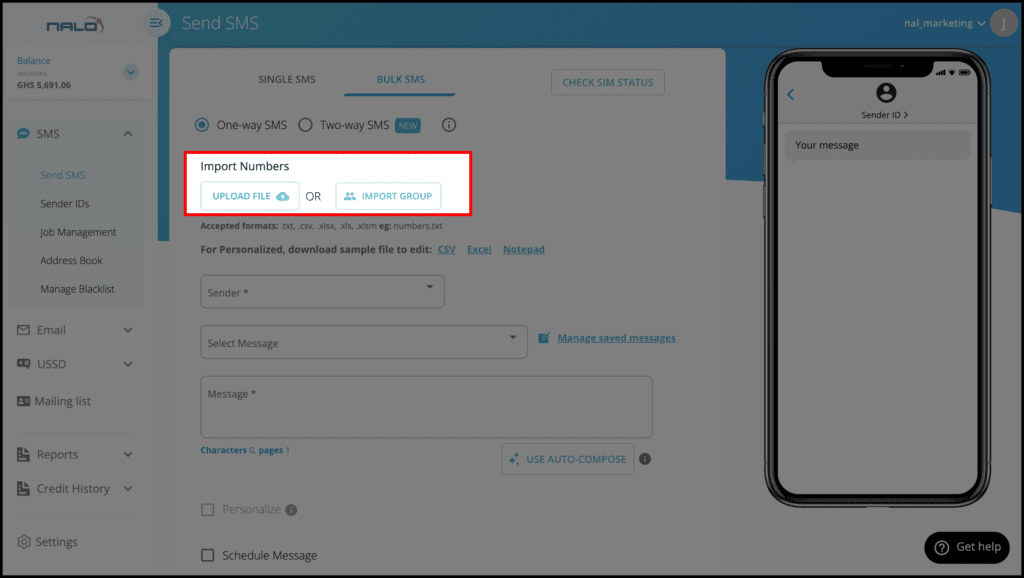
- Edit & Upload your personalized file
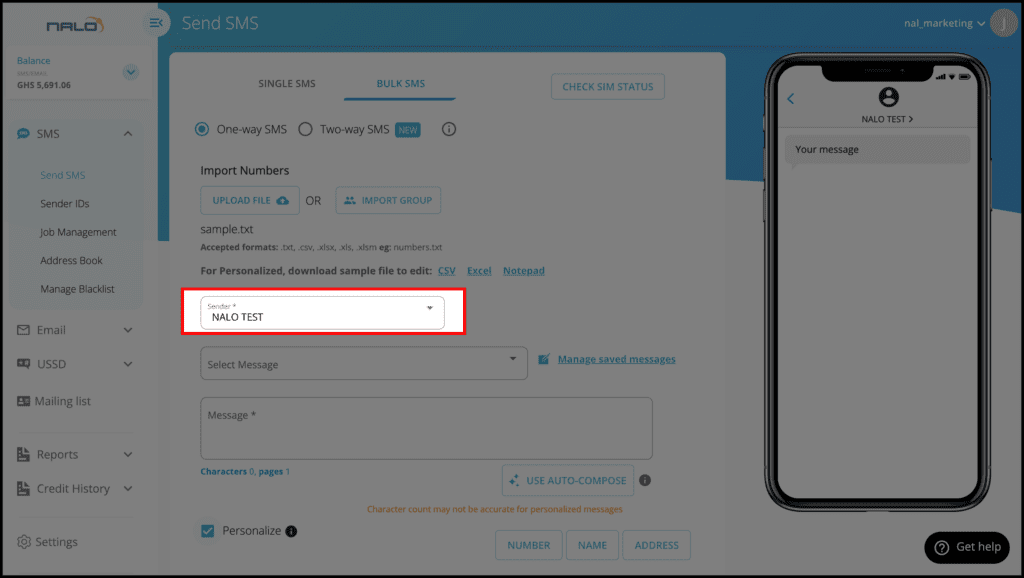
- Select a preferred Sender ID.
- Check the personalization box to activate it
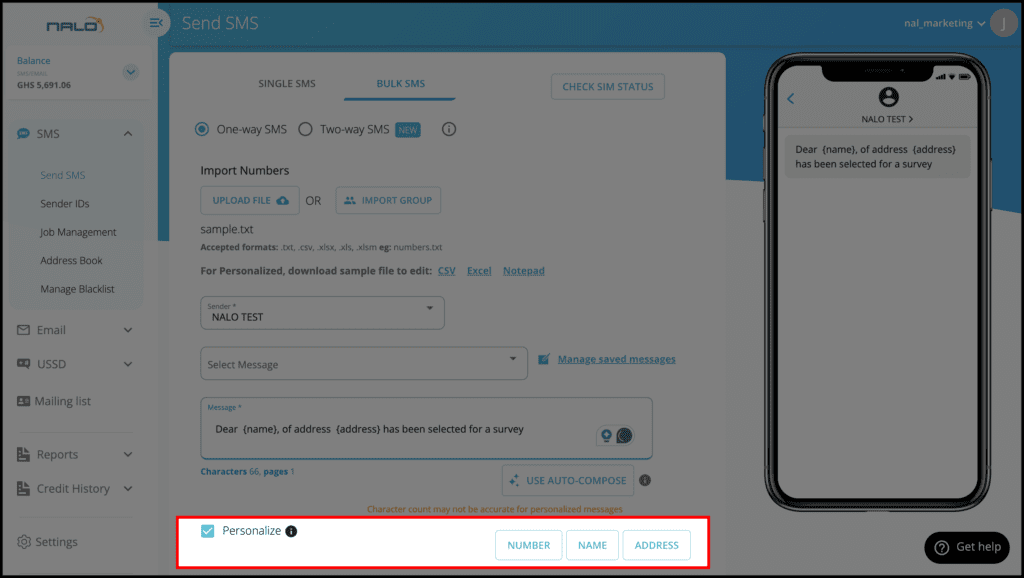
- Type your message while selecting from the bottom what you want to personalize to suit the content of your message.
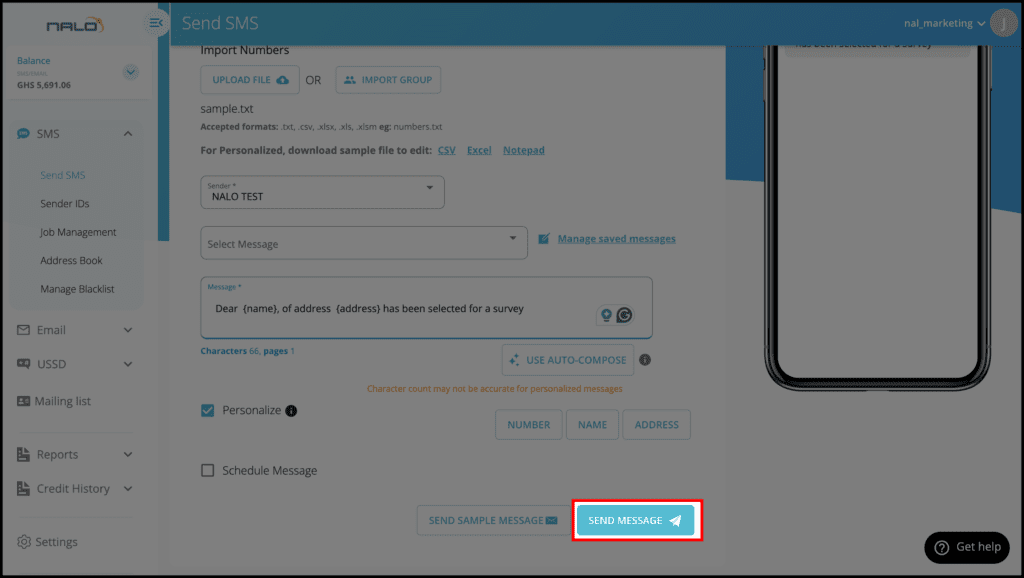
Optional: You can send a sample message to a specific phone number to have a view of the message first before you proceed to send your SMS. This is done by clicking on “SEND SAMPLE MESSAGE”.
- Click on Send Message to send your message.
WATCH THE VIDEO BELOW
Recommended Guidelines;
This is awesome. Keep it up team Nalo
How do i send personalized bulk SMS using the API